Managing Your Profile
The My Profile section provides a comprehensive overview of your membership status, history, and personal details.
Viewing Your Profile
The profile view is divided into three main sections:
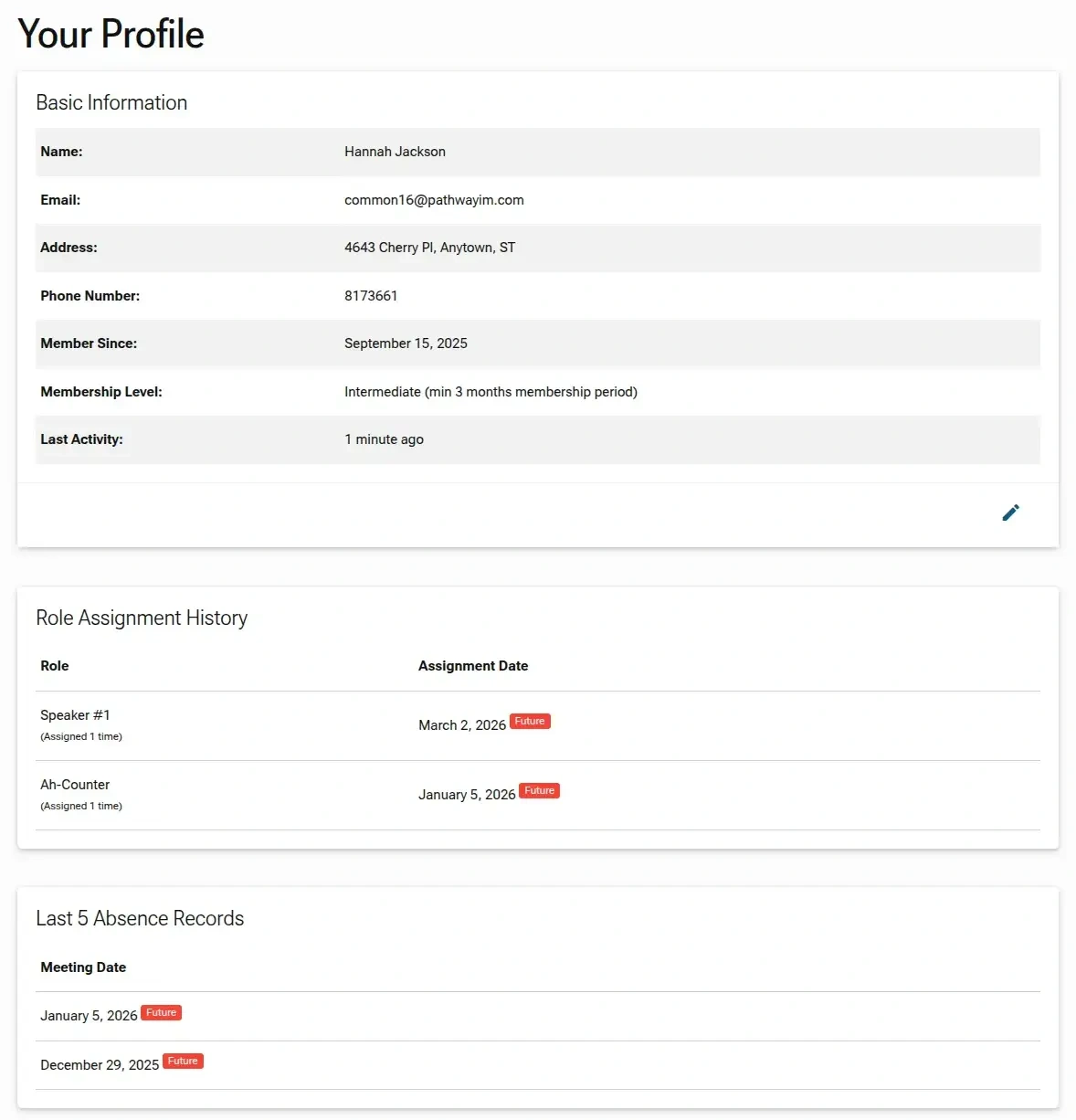
- Basic Information: Displays your full name, registered email, physical address, phone number, and the date you joined the club. It also shows your current Membership Level and how recently you were active on the platform.
- Role Assignment History: Lists every role you have been assigned, the number of times you've held that role, and the dates of any Future assignments.
- Last 5 Absence Records: A quick summary of your most recent or upcoming meeting absences, with Future dates clearly tagged.
Updating Your Profile
To make changes to your information, click the Edit (pencil icon) located in the bottom-right corner of the Basic Information card.
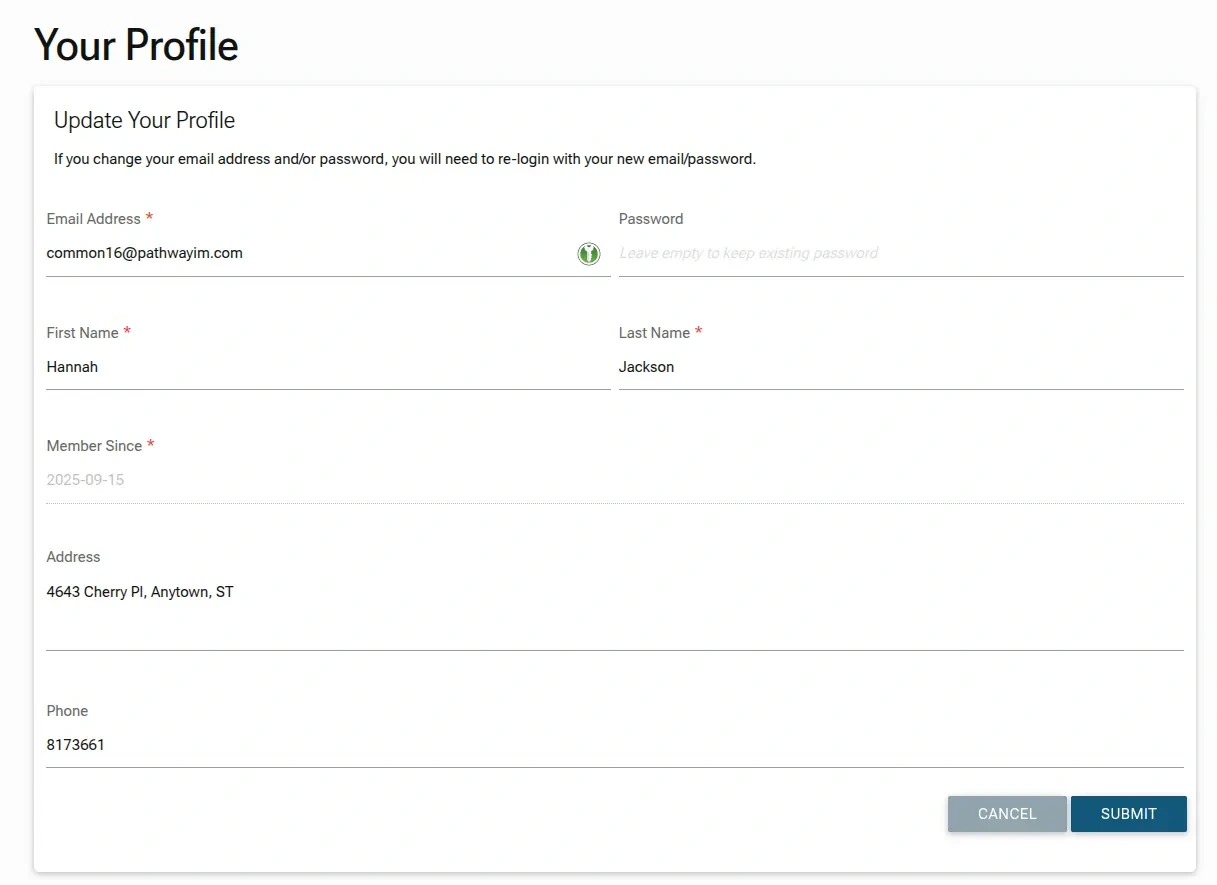
- Editable Fields: You can update your Email Address, First Name, Last Name, Address, and Phone number.
- Changing Your Password: To update your password, enter a new one in the Password field; otherwise, leave it empty to keep your current password.
- Read-Only Data: Certain information, such as your Member Since date, is verified by the club and cannot be edited directly through this form.
- Required Information: Fields marked with a red asterisk (
*) are mandatory for saving your profile updates.
Authentication Note: If you change your Email Address or Password, the system will require you to log out and sign back in using your new credentials to verify the update.