Reminder & Notifications
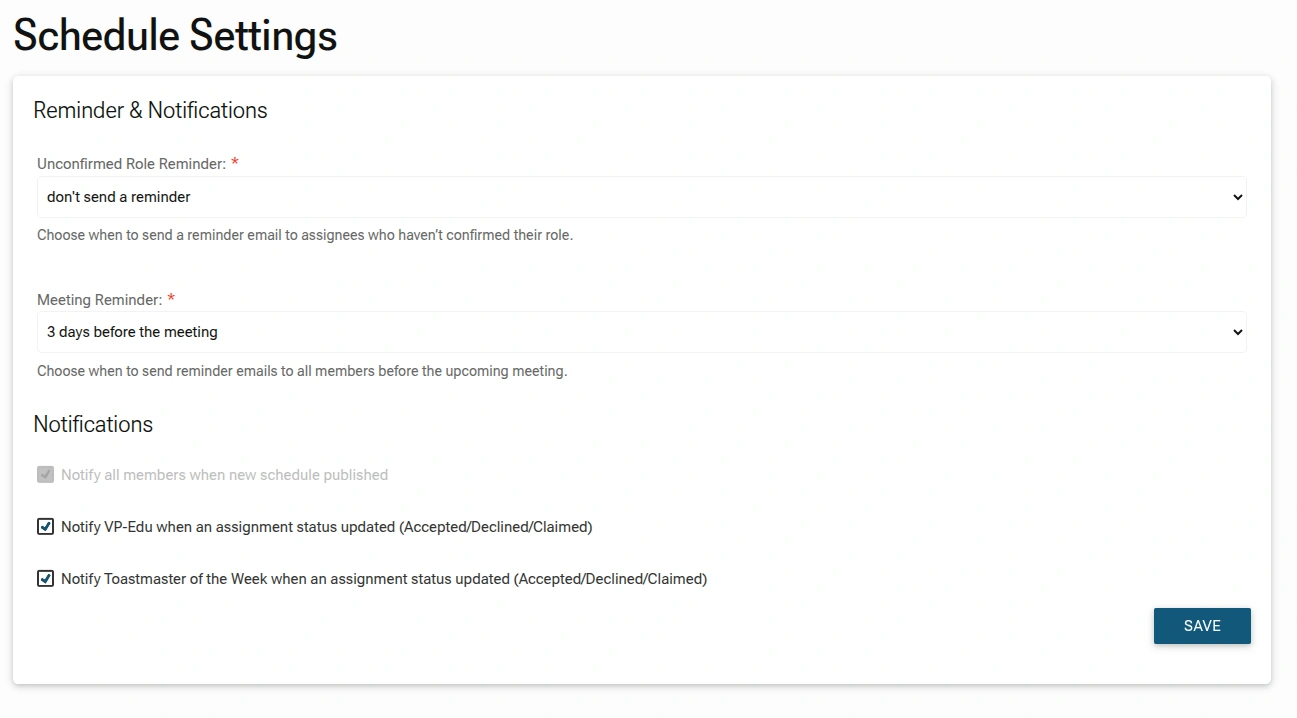
To ensure high meeting attendance and role fulfillment, use the Reminder & Notifications settings to automate communications with your members. These settings help keep role assignees accountable and the entire club informed about upcoming events.
Accessing Reminder & Notification Setting
Access this section by navigating to Schedule Settings > Reminder & Notifications.
Automated Reminders
These settings reduce the manual workload for the VP-Education by automatically nudging members about their commitments.
- Unconfirmed Role Reminder: Set a timeframe for the system to automatically email assignees who have not yet accepted or declined their scheduled roles. You can choose to disable this or set specific intervals.
- Meeting Reminder: Choose when to send a general reminder email to all members before an upcoming meeting (e.g., "3 days before the meeting").
System Notifications
Configure who receives real-time updates when changes occur in the schedule.
- New Schedule Publication: When checked, the system will automatically notify all members the moment a new schedule is published.
- Assignment Status Updates: Toggle these options to notify the VP-Edu or the Toastmaster of the Week whenever a member accepts, declines, or claims a role. This ensures leadership is immediately aware of any gaps that need filling.
ADMINISTRATOR TIP:
Setting the Meeting Reminder to 2 or 3 days before the event is often the "sweet spot", it's early enough for members to prepare their speeches, but late enough to remain top-of-mind.