Managing Club Holidays
To ensure your automated schedule remains accurate, you must account for dates when your club will not hold a regular meeting. The Holidays & Contests section allows you to define these exceptions so the Schedule Generator can adjust accordingly.
Managing Holidays & Contests
Access this tool by navigating to Schedule Settings > Holidays & Contests.
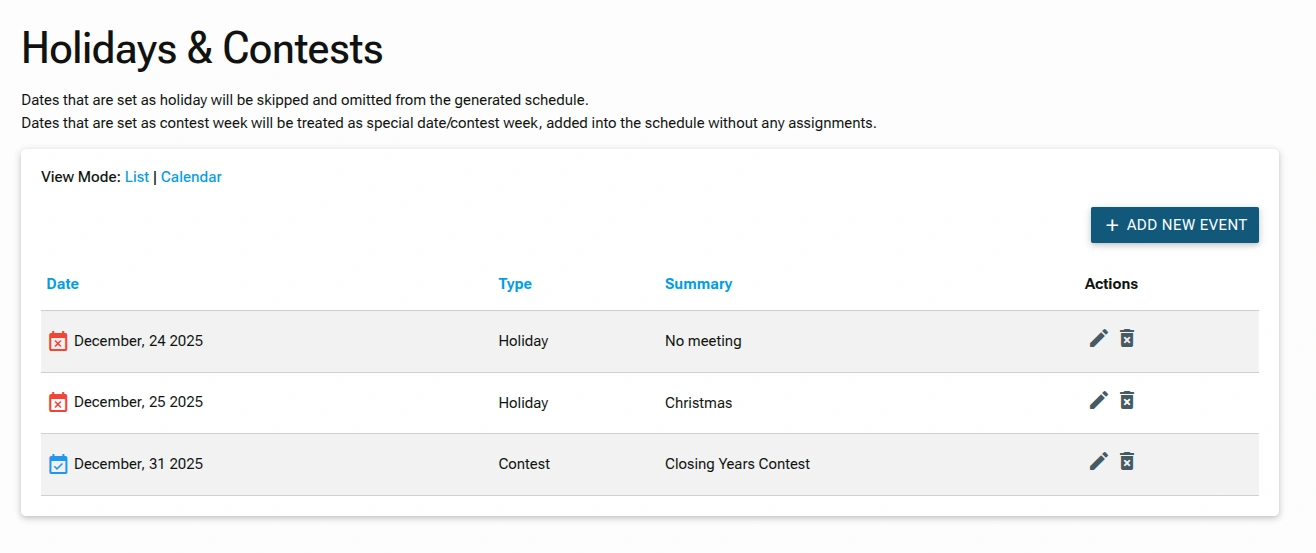
1. Understanding Event Types
The system handles two event types differently when generating your schedule:
- Holiday: On dates marked as a holiday, the schedule generator will not auto-assign any roles. Instead, it will display the holiday description you entered, or "No Meeting" if no description is provided.
- Contest: Contests are considered special weeks . Although the date is added to the schedule, indicating that a meeting will still take place, the system will not auto-assign standard roles, keeping the agenda open for contest-specific activities.
2. Managing the Event List
The main screen provides an overview of all scheduled exceptions.
- View Modes: You can toggle between a List view or a Calendar view for easier planning.
- Actions: Use the pencil icon to edit an existing event's details or the trash icon to delete an event and return that date to the regular meeting rotation.
3. Adding New Events
To add new event, click on the ADD NEW EVENT link.
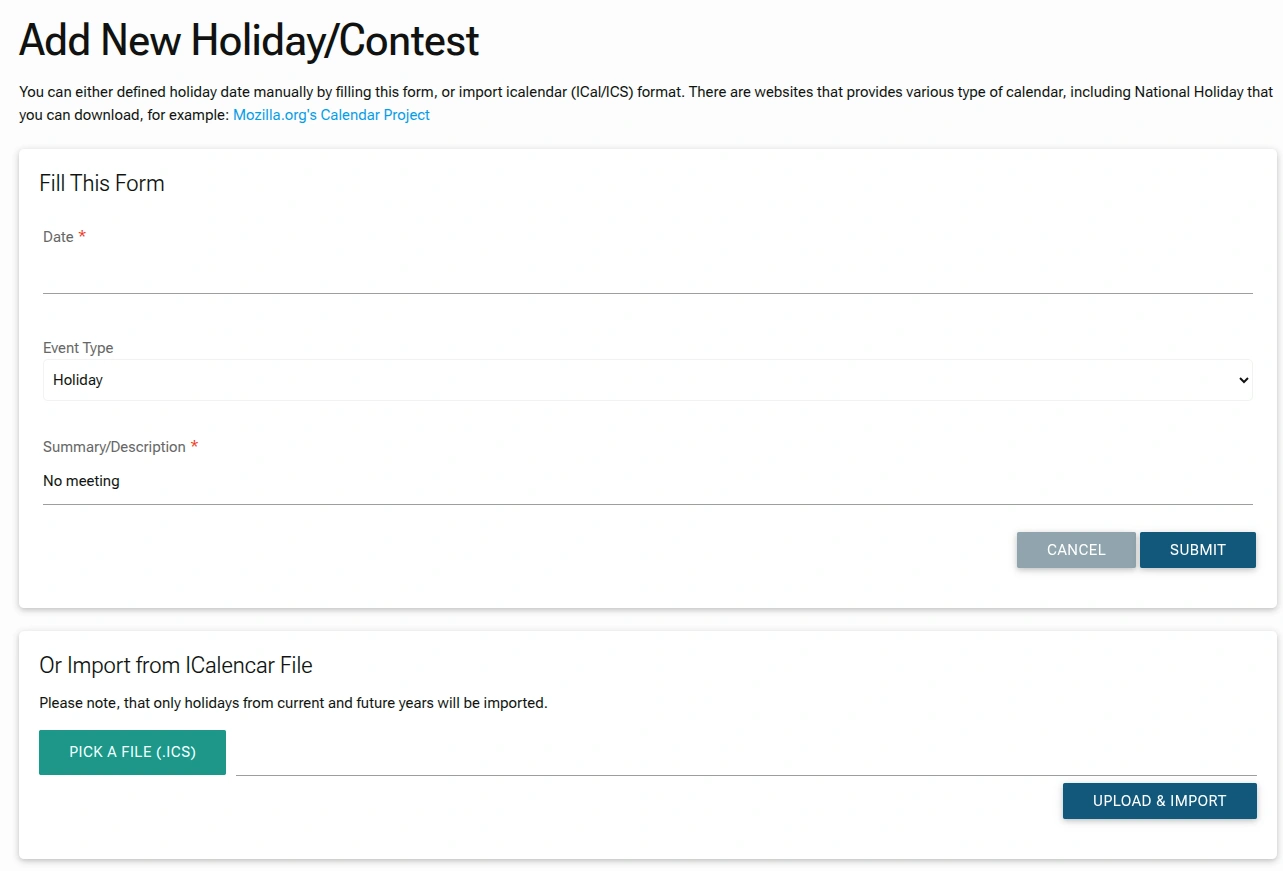
You can add dates to your calendar in two ways:
Option A: Manual Entry
- Date: Select the specific calendar date for the event.
- Event Type: Choose between Holiday or Contest from the dropdown menu.
- Summary/Description: Enter a brief label, such as "Christmas" or "International Speech Contest," which will be visible on the schedule.
Option B: Import from iCalendar (.ics)
To save time, you can import national holidays or existing calendars:
- Click
PICK A FILE (.ICS)to upload a standard calendar file. - Click
UPLOAD & IMPORTto process the file. - Note: The system only imports holidays for current and future years.
Administrator Tip
Always update your Holidays & Contests before using the Schedule Generator. This prevents the system from assigning members to roles on days when the club isn't meeting, saving you the hassle of manual cancellations later.