Managing Member's Absence Records
To ensure the Schedule Generator doesn't assign roles to members who aren't available, the Planned Absences tool tracks when members will be away. This creates a seamless flow between member availability and the final meeting agenda.
Managing Planned Absences
Administrators can manage absences for the entire club, while individual members have the ability to record their own planned absences directly from their Member Dashboard.
Members who are listed as absent on a certain date will be excluded from role assignments when generating new schedule. However, if a member has already been assigned a role in the current schedule on a day when they know they will be absent, they should access the current schedule and Decline that role online.
1. Tracking Absences (Admin View)
Navigate to Club Members > Planned Absences. This page provides a comprehensive list of all upcoming "Busy" dates reported by your roster.
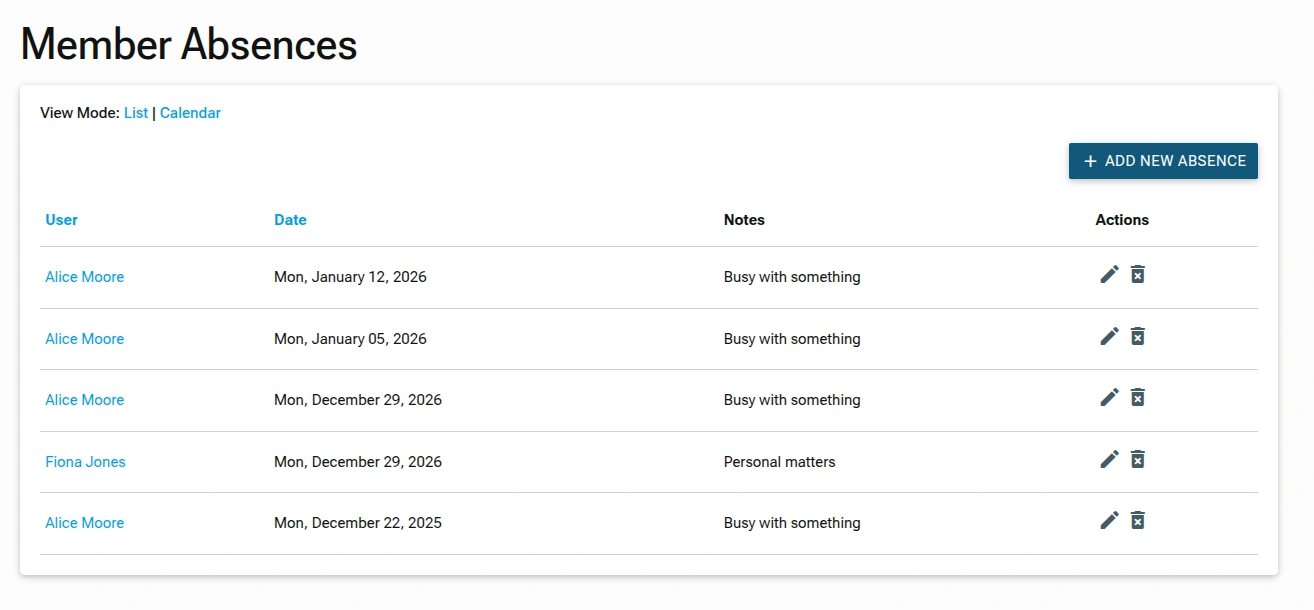
This view provide list of member absences: member's name, the date they will be away, and an optional reason.
- View Mode: Toggle between
ListandCalendarviews to see the data in your preferred format. - Add New Absence Button:
ADD NEW ABSENCEbutton in the top right corner lets you record an absence for a member. - Absence Table (List View): The table lists all absences with the following columns:
- User: The name of the member who will be absent.
- Date: The specific date of the absence.
- Notes: A brief reason for the absence (e.g., "Busy with something", "Personal matters").
- Actions: Contains two icons for each absence:
Edit Icon(Pencil): Opens the Edit form.Delete Icon(Trash Bin): Removes the absence record.
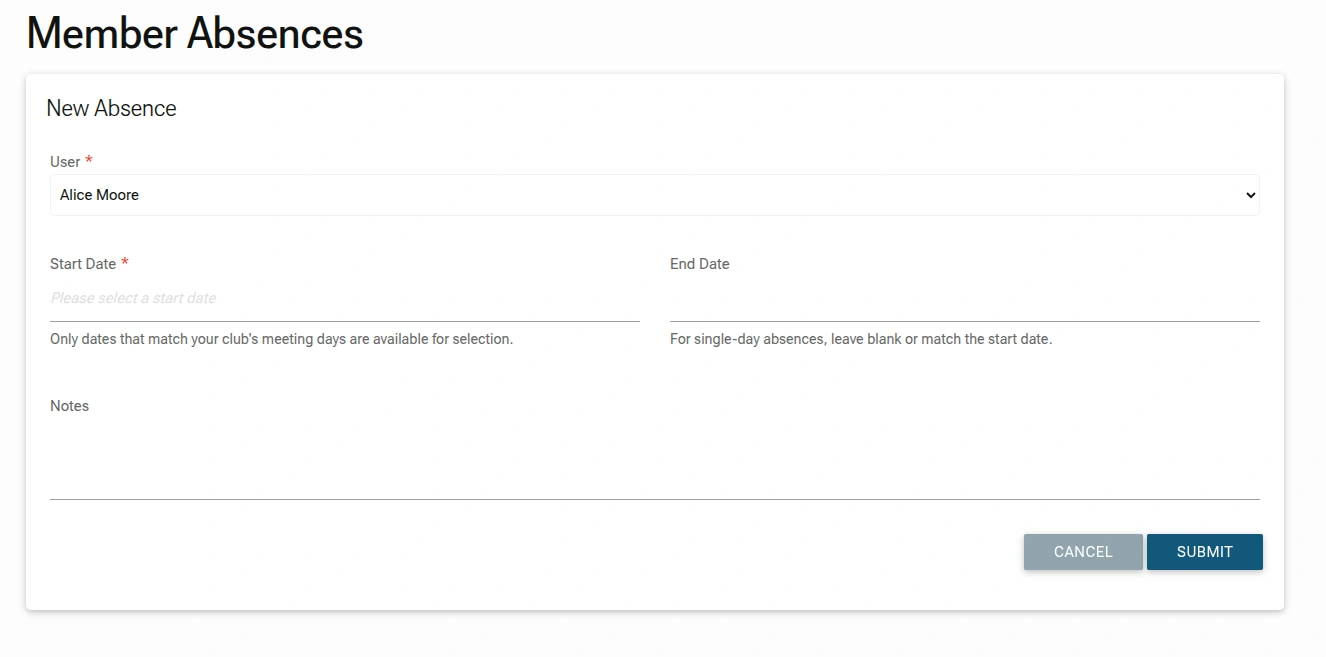
2. Adding an Absence:
If a member notifies you verbally, you can click ADD ABSENCE to record it on their behalf.
3. Editing:
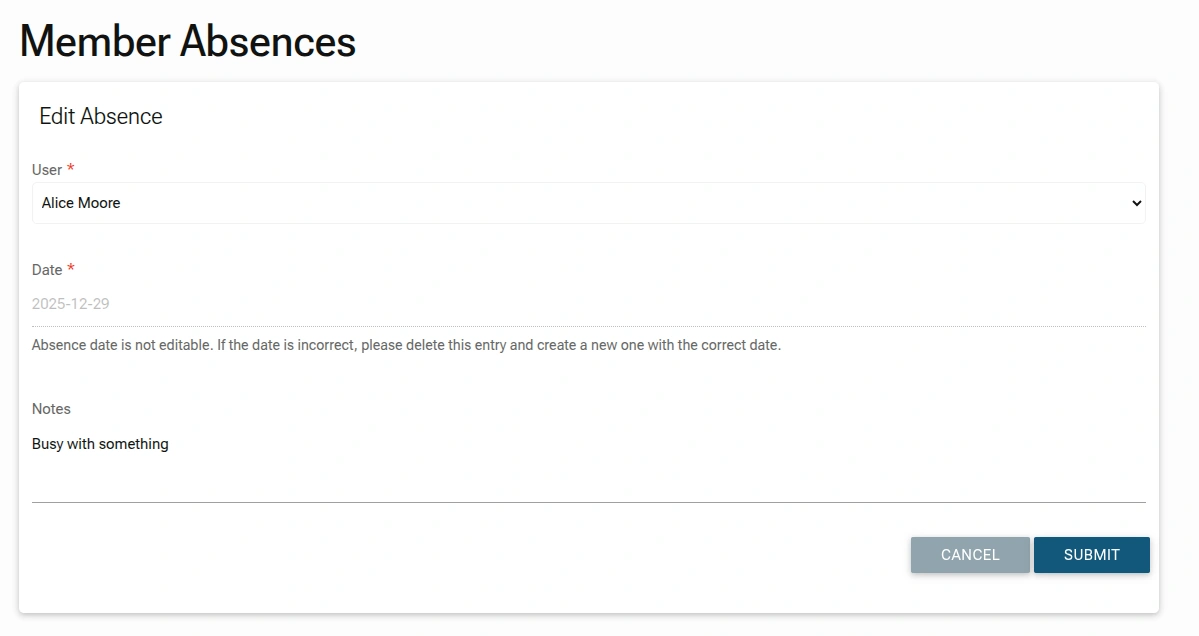
Find entries you want to edit form the list, click on the Edit Icon (Pencil): Opens the Edit form.
4. Deleting:
Find entries you want to edit form the list, click on the Delete Icon (Trash) and confirm deletion.
Member Self-Service
Members can also record their own planned absences directly from their personal Club Members Dashboard. It will instantly update their status, which immediately removes them from the "Eligible" pool for any schedules generated for those dates.. This empowers members to manage their own availability and reduces the administrative burden on the club officer.
NOTE
The Planned Absences widget on your main dashboard gives you a "Quick View" of upcoming gaps. By encouraging members to use their own dashboard to record absences, you ensure your automated schedules are 100% accurate without the need for manual cross-referencing.